
Create An Invisible Folder
2 WAYS TO CREATE AN INVISIBLE FOLDER
Here, I am going to illustrate a method to completely hide a folder which you dont want to be displayed – not by using attributes, but a tricky method. It can be done without changing any attribute, without using any software, without adding/removing any files. Its a simple trick which can be done with normal windows and no extra installations and no hi fi tricks.
Locate to the folder which you dont want to be displayed.

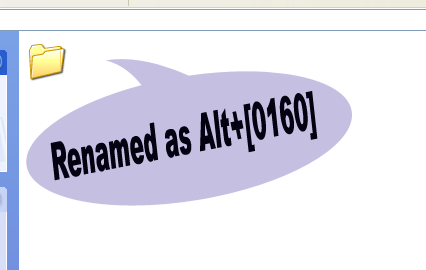
Next, rename the folder with Alt+[0160], I mean, press Alt key and without releasing, press 0160. Then you can notice that the name of the folder is gone and a simple space appears as the name of the folder, which cannot be displayed.
Proceed by changing the icon of the folder. This can be done with this procedure. Right click on the folder Properties> Customize> Change Icon. Here you can find few invisible icons, just use them to create your invisible folder.
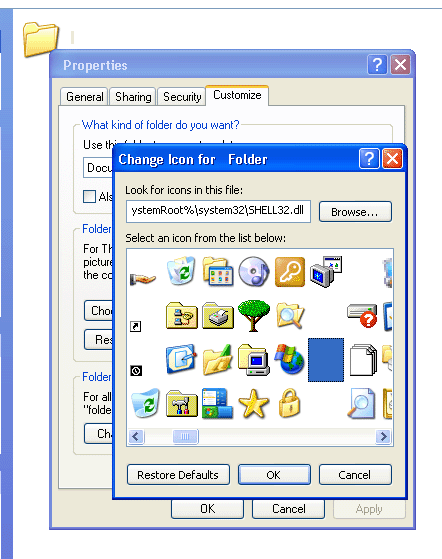
That’s it! your invisible folder is ready….
Here I have selected the folder, so you can identify that something exists there. If it is not selected, nothing can be found….Totally invisible folder is made.
Second Method To Invisible Folder
If you want to create Invisible Folder please follow these steps:
1. Go to character map and click on the blank Coloumn as shown in fig.

2. Now Click on Select Button and then on Copy Button (This copies a blank Space)
3. Create a New folder and Rename it and press Ctrl+V to paste the blank space.
4. Now right-click on this folder and Click on Properties>>Customise>>Change Icon.
5. Now will get a popup windows with various icon.Select the blank Icon as shown in the figure below.
3. Create a New folder and Rename it and press Ctrl+V to paste the blank space.
4. Now right-click on this folder and Click on Properties>>Customise>>Change Icon.
5. Now will get a popup windows with various icon.Select the blank Icon as shown in the figure below.
6. Click on ok.
Now you will get it.
Note :: impossible on laptop without a number pad to rename with alt+0160…


0 comments:
Post a Comment